RepoInbox
macOSA unified inbox for GitHub Issues and Discussions on macOS
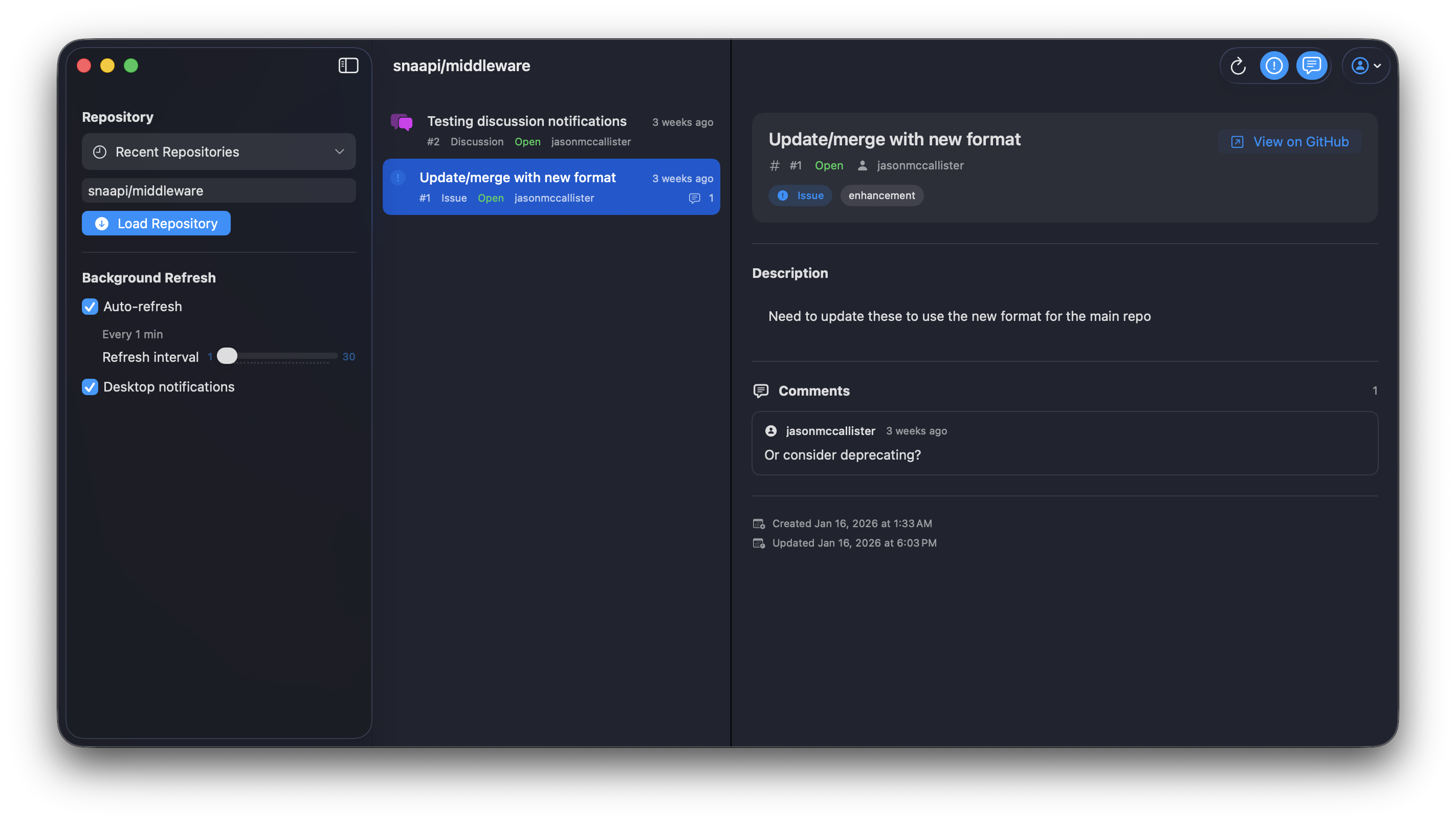
RepoInbox is a lightweight macOS application that lets you sign in to GitHub and view Issues and Discussions from a repository in one unified inbox. Designed for open-source maintainers and contributors, RepoInbox helps you quickly see what's happening in a project without juggling browser tabs or notifications. By combining Issues and Discussions into one chronological view, RepoInbox gives you a clear picture of what's happening in a project at a glance.
The Problem
Keeping up with activity in a GitHub repository is harder than it should be.
Issues and Discussions live in separate views, notifications are noisy, and important context is easy to miss. This is especially true if you support multiple projects or contribute in your spare time. Most workflows require constantly switching between browser tabs, filtering emails, or relying on incomplete notification summaries. For open-source maintainers and contributors, this friction adds up and makes it harder to stay responsive and engaged.
The Solution
RepoInbox brings GitHub repository activity into a single, focused desktop experience.
By combining Issues and Discussions into one chronological view, RepoInbox gives you a clear picture of what's happening in a project at a glance. You can quickly review updates, open items on GitHub when needed, and optionally receive desktop notifications for new activity. No clutter. No complex setup. Just a simple inbox for your repositories.
Features
Perfect For
- Open-source maintainers managing repository activity
- Developers supporting GitHub projects
- Contributors who want a calmer way to track repo activity
- Anyone tired of juggling GitHub tabs and notifications
- Teams needing to stay responsive and engaged with community discussions
Installation
- 1Download the latest release from GitHub or the Mac App Store
- 2Open the .dmg file and drag RepoInbox to Applications
- 3Launch RepoInbox and sign in with your GitHub account
- 4Grant necessary permissions to access your repositories
- 5Select a repository and start viewing your unified inbox
Status
Technologies
Requirements
- • macOS 14.0 or later
- • GitHub account
- • Active internet connection
- • Approximately 50MB of disk space
License
MIT License - Free to use, modify, and distribute
Contribute
This is an open source project. Contributions, issues, and feature requests are welcome!
Report an Issue